

Items are part of Free-for-all and Trios, from Go to the end of the match. There are none during the warm-up or in Infinite.

BombThrow
Explodes 1.6 seconds after it lands. A head in the blast is out, and bodies in it get shorter.
MolotovThrow
Sets the ground on fire for 6 seconds. Fire shortens bodies, and a head that stays in it for about 1.5 seconds is out.
Smoke CloudThrow
Strikes after a short warning. A head caught inside is slowed for a minute and can't boost. It also ends a Star.
StarUse at once
For 6 seconds, boosting is free, faster and turns sharper. It doesn't protect you from crashes.
Pellet MagnetUse at once
Pulls in pellets from farther away for up to 8 seconds.
Mystery boxes
About 45 seconds after Go, rings on the ground and ? marks on the minimap show where boxes will appear. The boxes arrive 20 seconds later. Drive your head into one to collect it. New boxes keep coming every 75 seconds until late in the match.
You can hold one item at a time, and it takes about a second to see what you got. Once it's used up, you can open another box. You wait 8 seconds between uses.
Throwing on a computer
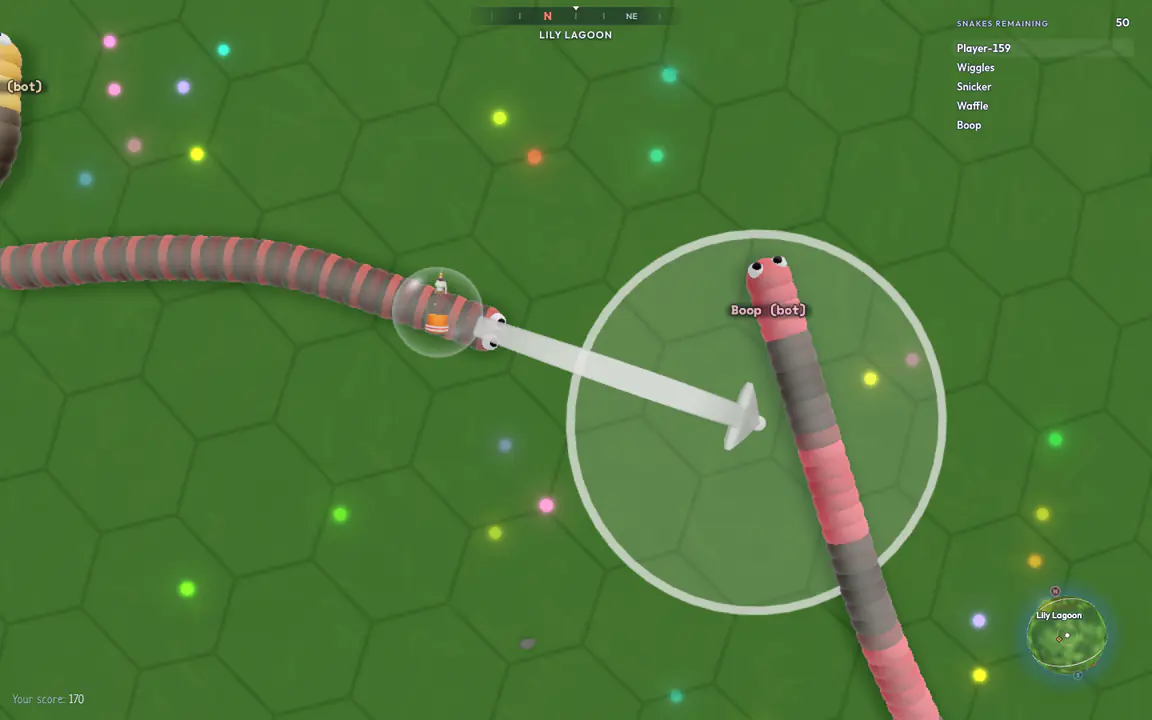
- Your item floats over your head. Right-click or press Space to aim.
- Point at the landing spot, then left-click or press Space to throw. A gray arrow means you can't throw there yet.
- The ring shows the area it will cover.
- Cancel: right-click again, press Esc or point back at your head.
Star and Magnet work as soon as you right-click or press Space.
Throwing on a phone
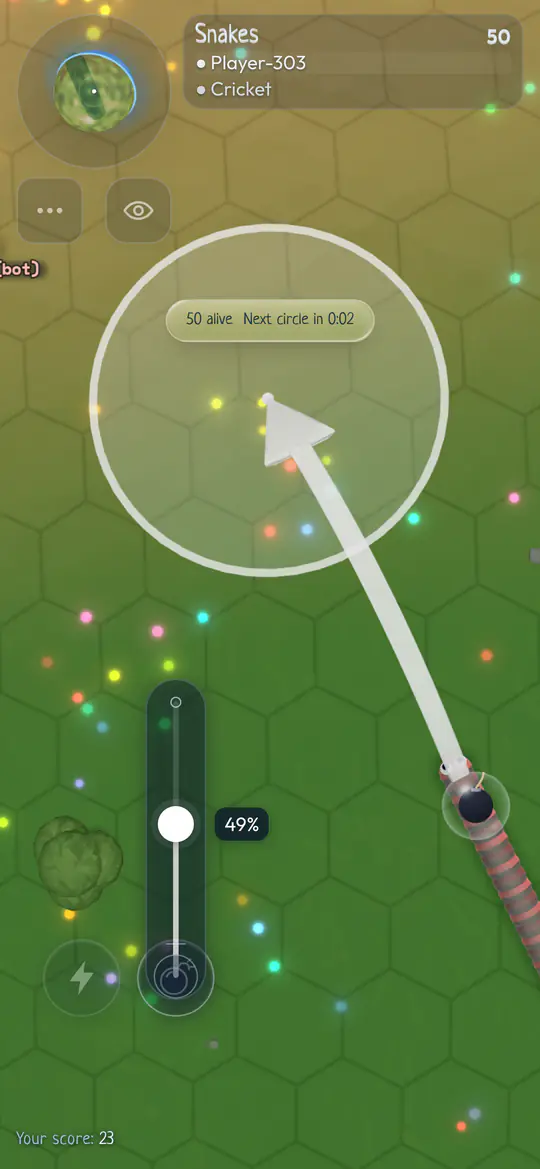
- Hold the item button.
- Slide up. The farther you slide, the farther it flies.
- The landing spot and the area it covers.
- It flies the way your snake is heading.
The item button appears next to Boost when you have an item. Let go to throw. A quick tap cancels, and so does sliding back down. Tap Star or Magnet to use it.
Good to know
- Your bombs, fire and clouds can hit you and your teammates.
- Throws that land in water or magma fizzle out.
- When you're out, you lose your item.